Source
https://www.fab.com/listings/c558f5b4-0b5f-4342-acb4-c17461e541e8
Category
File Size
310.1 MB
Publisher
Fergius Engineering
Updated
July 26, 2025
Description
Game Logs System (GLS) lets you view Unreal Engine logs directly inside the Editor or Game — even in Shipping builds. No ADB, no console, no external tools. Just open the in-game panel and see all logs in real time. Perfect for mobile, VR, consoles, and QA testing — testers can view logs directly on the device without any PC connection. GLS replaces the need for Output Log during testing, making debugging fast and comfortable on every platform.
- On-device logs — see logs inside the game on your phone or VR headset without any PC connection.
- Debug Shipping builds in real time — see your logs directly on the device or console without ADB, console commands, or external tools.
- In-game overlay — open logs instantly during gameplay or PIE with one hotkey, no switching windows.
- Smart filtering — quickly isolate logs by category, verbosity, class, object, function, tags, network role, or PIE instance.
- GLS_LOG macros — clean structured logging with tags and context, fully available even in Shipping builds.
- Print String to GLS — Blueprint-friendly logging with custom colors and full support in Shipping builds.
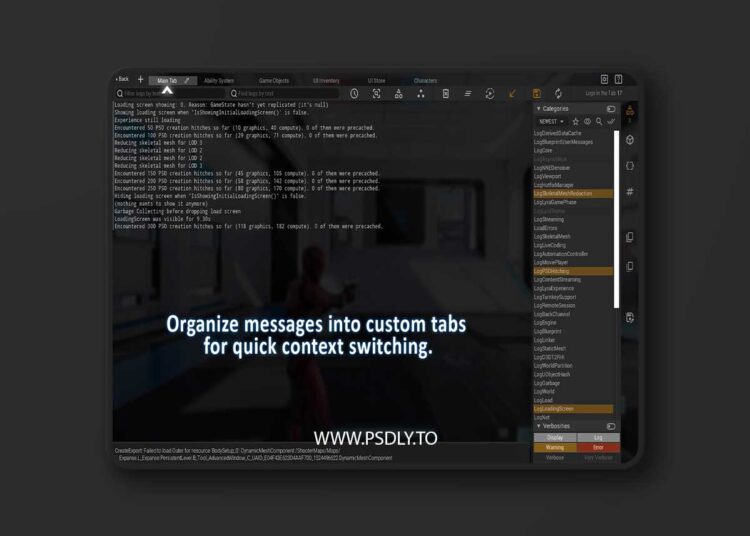
- Custom Named Tabs — save separate views for different systems (AI, UI, networking, gameplay, etc.).
- Optimized & Production-ready — proven in large UE5 projects with heavy logging.
- Cross-platform support — works on PC, mobile, consoles, VR/AR.
- Session Log Files— automatic log files with configurable formats, available even in Shipping builds.
- Easy to use — Blueprint and C++ macros support (PrintStringToGLS, GLS_LOG, colors, tags).
- Persistent UI — all filters, tab layouts, and sizes are saved between sessions.
- Multiplayer-ready— isolate logs per client, role, PIE instance, or controller.
- Zero-setup — works in Development, Test, and Shipping without changing project settings.
- Log per-actor or per-object— easily isolate any object’s output during gameplay.
Preview
2 images 1 / 2

2 / 2

Download Files