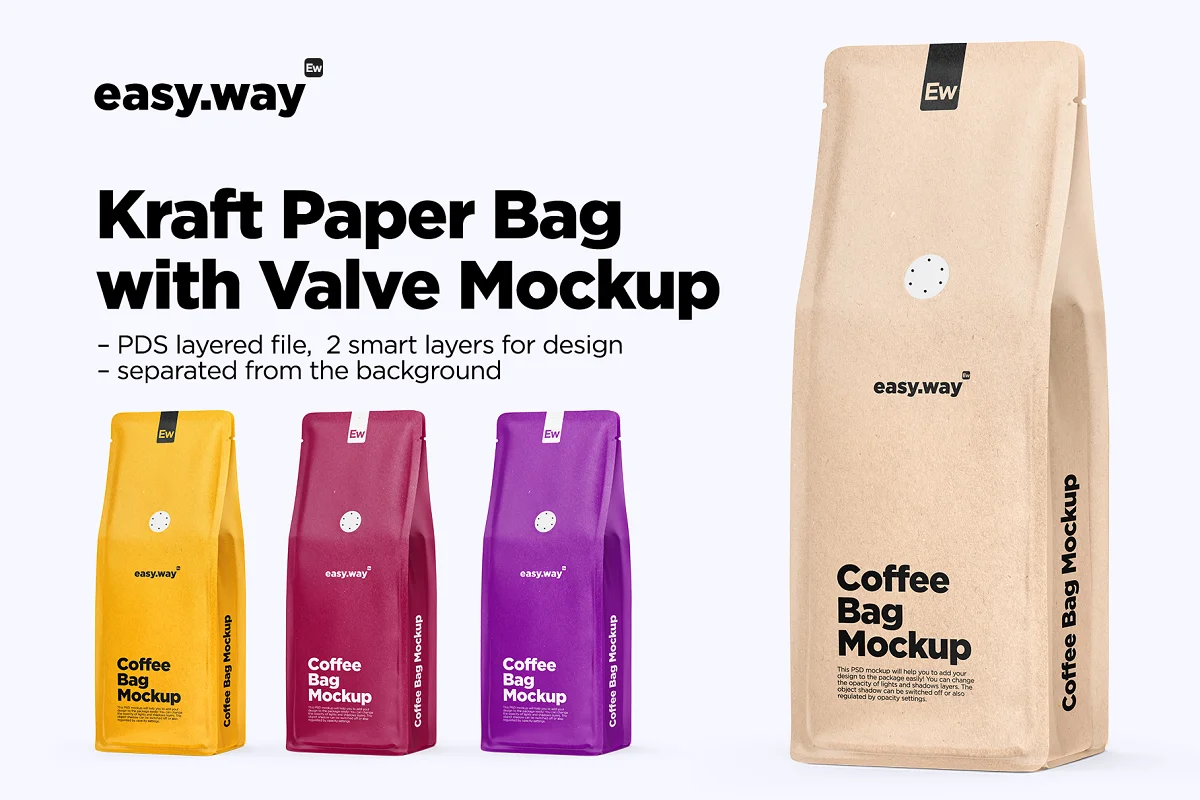
- 4000 х 4000 px
- 1 PSD file with 2 smart layers for design
- Sample design is not included
- Simple structure
- You can choose any color you need!
- works in photoshop only
Open the file. Choose the PLACE YOUR DESIGN HERE folder, choose the FRONT or SIDE layer and click twice. Drag your design into the opened document. Save and close. See the result! Repeat the action with the rest smart layers.
You can change the opacity of LIGHTS and SHADOWS layers. The object SHADOW can be switched off or also regulated by opacity settings. The BACKGROUND color can be changed to any color you like as well as the object color.
Please write a short review if you liked the product. We are open to job requests and will be glad to make smth for you.
Source
https://creativemarket.com/easy.way/5975344-Kraft-Paper-Bag-with-Valve-Mockup
Category
File Size
33 MB
Publisher
creativemarket
Updated
September,09, 2021
Preview
3 images 1 / 3

2 / 3

3 / 3

Download File