Functionality in Detail:
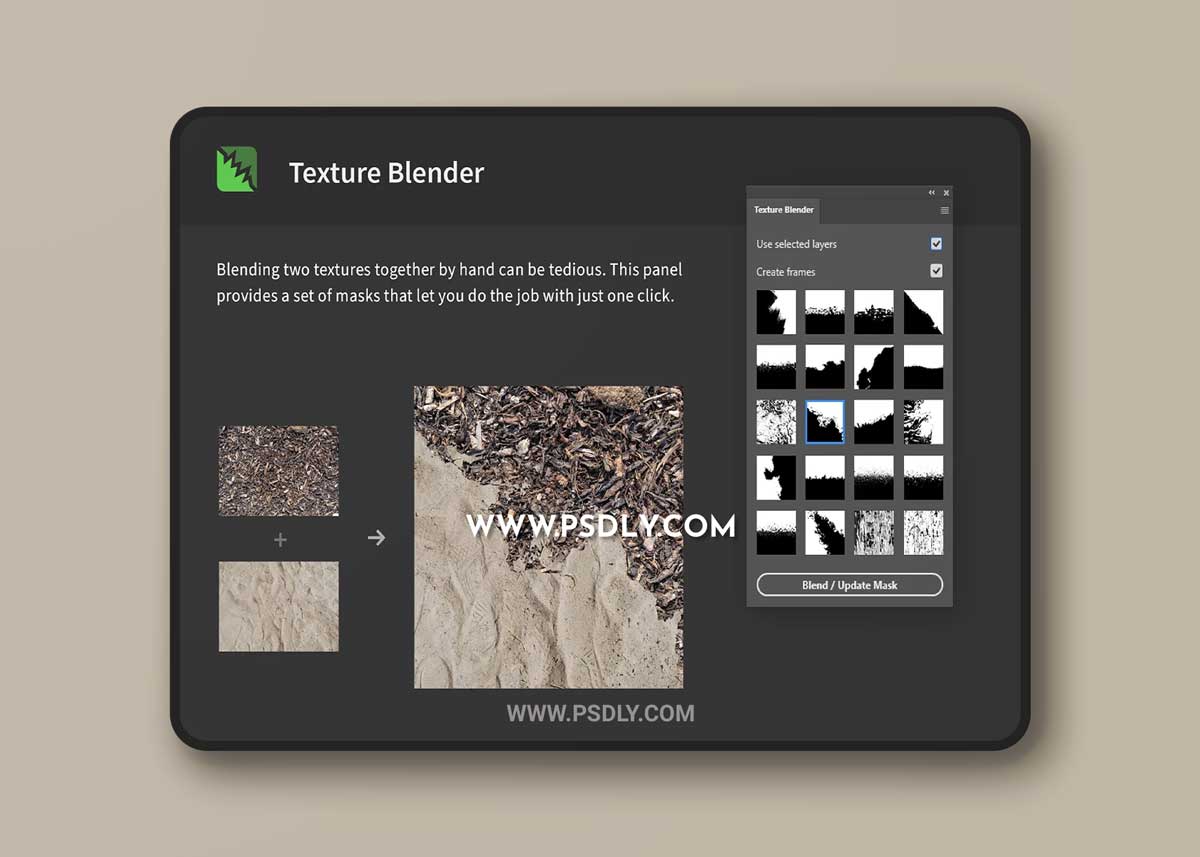
- Source Images: If „use selected layers“ is turned on, the panel will blend together the selected layers (make sure it‘s exactly two). You can also select two images from your file system if you turn this option off.
- Create Frames: With this option active, the panel will place the two images inside frames. This allows for easier replacement via drag & drop, so you can quickly exchange the images.
- Addititonal Tips: After processing two images, you can try out different masks. Update the mask by clicking the button again or double-clicking a mask-thumbnail. Also, there‘s a flyout menu with more functionality, e.g to fit a layer to the canvas bounds (helpful when you replace one of the textures with another one).
Source
https://creativemarket.com/h3design/6634373-Texture-Blender-Mix-Two-Textures
Category
File Size
16MB
Publisher
creativemarket
Updated
DECEMBER 01, 2021
Preview
2 images 1 / 2

2 / 2

Download File