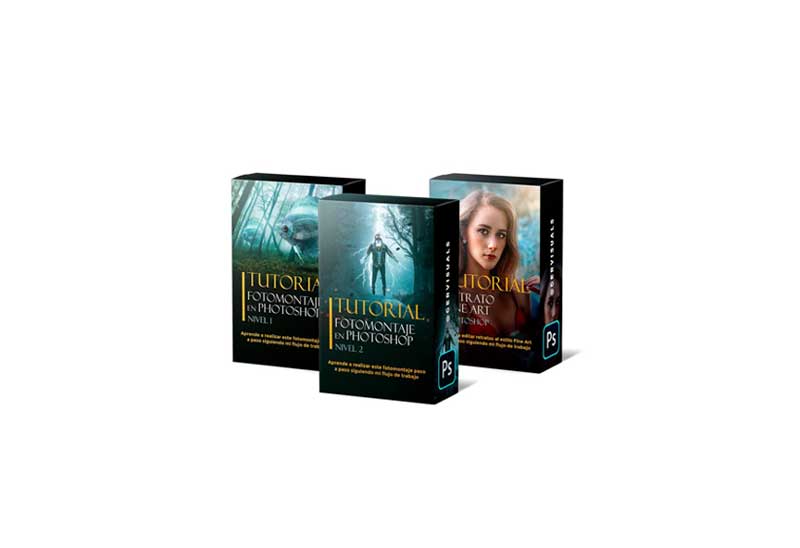
Photomontage tutorial in Photoshop level 1.
In this video tutorial I show you step by step and in real time how to get, quickly and easily, the final result of this composition from 2 photographs.
Duration: 37 minutes.
You’ll learn:
- Cut out objects with the pen tool.
- Create masks to erase non-destructively.
- Integrate the two photos into one.
- Color editing with Camera Raw.
- The same colors and lights with Gradient Maps so that the photomontage is realistic.
- Give effects of light and depth.
The tutorial includes:
- Explanatory video tutorial, which you can download and watch as many times as you want.
- The 2 photographs necessary for its realization.
Requirements:
Have Photoshop and Camera Raw installed on your computer. No plugin or external action is required.
Photomontage tutorial in Photoshop level 2.
In this video tutorial I show you step by step and in real time how to achieve the final result of this composition from several photographs.
Duration: 1 hour and 15 minutes.
You’ll learn:
- Cut out objects with the pen tool.
- Create masks to erase non-destructively.
- Integrate several photos into one.
- Color editing with Camera Raw.
- The same colors and lights with Gradient Maps so that the photomontage is realistic.
- Give effects of light and depth.
- Add special effects (lightning, particles, leaves)
The tutorial includes:
- 3 explanatory video tutorials corresponding to the 3 modules (initial composition, special effects and final details), which you can download and see as many times as you want.
- The 10 photographs necessary for its realization.
Requirements:
Have Photoshop and Camera Raw installed on your computer. No plugin or external action is required.
Fine Art Portrait Editing Tutorial in Photoshop.
In this video tutorial I show you step by step and in real time how to edit a portrait to bring it to the Fine Art style.
Duration: 1 hour and 15 minutes.
4 Modules in which you will learn:
- RAW development, blending and skin retouching using the frequency separation technique.
- Makeup and volume with the Global Dodge and Burn technique.
- Color retouch.
- Setting and last details.
The tutorial includes:
- 4 videos corresponding to the 4 modules, which you can download and watch as many times as you want.
Requirements:
Have Photoshop and Camera Raw installed on your computer. No plugin or external action is required.
Download More Photoshop Tutorials
Content Source: https://gervisuals.com/tutoriales/