Source
https://jaxonroberts.com/collections/presets/products/coastal-blues-preset-pack
Category
File Size
24MB
Publisher
jaxonroberts
Updated
September 11, 2025
Description
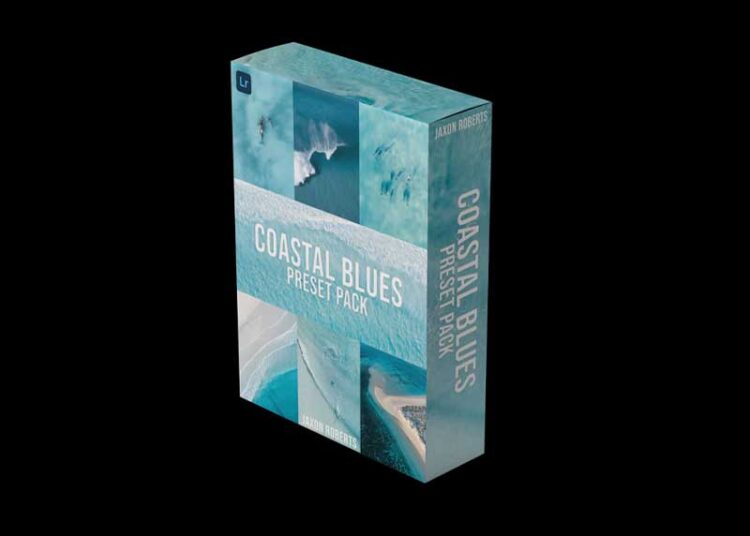
15 unique presets for Lightroom on desktop & mobile | Video tutorials | Installation guide
Over the past 7 years of using Lightroom, I have developed my own style of editing and have created this preset pack to share with you how I create a soft and dreamy coastal look! The Coastal Blues Preset pack is tailored toward ocean, drone and beachside photography.
This preset pack is perfect for (but not limited to)
- Ocean Photography
- Drone Photography
- Everyday beach photos
The Presets
- Bright Beaches
- Clean Beach
- Clean Landscape
- Cruisy Blues
- Deep Blue I
- Deep Blue II
- Everyday Beach Vibes
- Green – Blue
- Icy Waters
- Juicy
- Milky Blues
- Shallow Waves
- Surfs Up
- Turquoise Bay I
- Turquoise Bay II
How to install
Please keep in mind that there are video tutorials included in the purchase which take you through the installation and applying the presets
Desktop
- Unzip the folder
- Open Lightroom and go to “Develop Tab”
- Add presets
- Select all presets at once and import
Mobile
- Download a free Unzipping app
- Unzip folder
- Head to “Mobile” folder
- Open the .DNG files individually to Lightroom
- Once in Lightroom, the image has a preset applied
- Go to top right hand corner and press the 3 dots
- Create preset
- Name preset accordingly
Preview
2 images 1 / 2

2 / 2

Download File