GET UNLIMITED DOWNLOADS
Join Telegram
DMCA -Urgent Content Remove
PSDLY.COM
  • Photoshop
    • Mockups
      • Logo Mockups
      • T Shirt Mockups
      • Business Card
      • Branding Mockups
      • Stationery Mockups
      • Flyer/Poster Mockups
      • Bill-Board Mockups
      • Product Mockups
      • Brochure Mockups
      • Device Mockup
    • Lightroom Preset
    • Photoshop Actions
    • Brushes & Gradient
    • Patterns
    • Objects
    • Textures
    • Templates
    • Magazine
  • Videohive
    • After Effect
      • Broadcast Packages
      • Elements
      • Infographics
      • Logo Stings
      • Titles
      • Openers
      • Product Promo
    • Premiere Pro
    • DaVinci Resolve
    • Footage
    • Apple Motion
    • VIP Templates
  • Fonts
  • Luts
  • Sounds
    • Loops
    • Sound Effect
    • Sound FX
    • Refills
  • Courses
    • After Effects Tutorials
    • WSO Tutorials
    • 3D Tutorials
    • Drawing & Painting
    • Film & Media
    • Flash Tutorials
    • Music Learning
    • Photoshop Tutorials
    • Photography
    • Programming
    • Sound & Production
    • Game Devolopment
    • Ai Courses
    • Web Design Tuts
    • Other Tutorials
  • 3D Models
    • 3ds Max
    • Maya
    • Daz 3D poser
    • Game Assets
    • Cinema 4D
  • Plug-ins
    • AE Plugin
    • Photoshop
    • Illustrator
    • Cinema 4D
    • 3D Max
No Result
View All Result
PSDLY.COM
  • Photoshop
    • Mockups
      • Logo Mockups
      • T Shirt Mockups
      • Business Card
      • Branding Mockups
      • Stationery Mockups
      • Flyer/Poster Mockups
      • Bill-Board Mockups
      • Product Mockups
      • Brochure Mockups
      • Device Mockup
    • Lightroom Preset
    • Photoshop Actions
    • Brushes & Gradient
    • Patterns
    • Objects
    • Textures
    • Templates
    • Magazine
  • Videohive
    • After Effect
      • Broadcast Packages
      • Elements
      • Infographics
      • Logo Stings
      • Titles
      • Openers
      • Product Promo
    • Premiere Pro
    • DaVinci Resolve
    • Footage
    • Apple Motion
    • VIP Templates
  • Fonts
  • Luts
  • Sounds
    • Loops
    • Sound Effect
    • Sound FX
    • Refills
  • Courses
    • After Effects Tutorials
    • WSO Tutorials
    • 3D Tutorials
    • Drawing & Painting
    • Film & Media
    • Flash Tutorials
    • Music Learning
    • Photoshop Tutorials
    • Photography
    • Programming
    • Sound & Production
    • Game Devolopment
    • Ai Courses
    • Web Design Tuts
    • Other Tutorials
  • 3D Models
    • 3ds Max
    • Maya
    • Daz 3D poser
    • Game Assets
    • Cinema 4D
  • Plug-ins
    • AE Plugin
    • Photoshop
    • Illustrator
    • Cinema 4D
    • 3D Max
No Result
View All Result
PSDLY.COM
No Result
View All Result
Home Web Design Tuts

Responsive Travel Website Using HTML CSS & JS

August 21, 2023
in Web Design Tuts, Free Course, Tutorials
Responsive Travel Website Using HTML CSS & JS

Responsive Travel Website Using HTML CSS & JS

Source
https://www.udemy.com/course/travel-website-using-html-css-js/
Category
Web Design Tuts
File Size
2.1GB
Publisher
udemy
Updated
August 21, 2023
Description

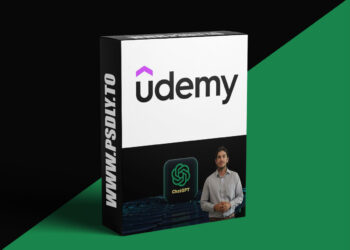
create a travel and tour website using html css & js | usage of flexbox and css grid & add sliders with animation

Responsive Travel Website Using HTML CSS & JS

In today’s digital age, an engaging and user-friendly website is crucial for any travel and tour business. A well-designed website not only showcases your services but also creates a lasting impression on potential customers. In this guide, we will walk you through the key elements and best practices for creating a remarkable travel and tour website using HTML, CSS, and javascript.

Before you start coding, it’s essential to plan your website’s structure. Identify the main pages you want to include, such as Home, Destinations, Packages, About Us, Contact, and Blog. Create a clear hierarchy to ensure easy navigation for users.

In today’s mobile-first world, your website must be responsive. Use CSS media queries to adjust the layout and styling based on different screen sizes, ensuring that your website looks appealing on both desktop and mobile devices.

Your homepage is the first impression visitors will have of your business. Use striking visuals, such as high-quality images of popular destinations, to capture their attention. Incorporate a clear and compelling call-to-action (CTA) that encourages users to explore further.

Create separate pages for destinations and travel packages. Use organized grids with enticing images and concise descriptions for each location or package. Implement filtering options, if applicable, to help users easily find their desired destinations or packages.

Utilize a blog section to provide valuable travel tips, destination guides, and other relevant content. This not only adds value to your website but also helps with search engine optimization (SEO), driving organic traffic.

Tell your brand’s story in the “About Us” section. Include information about your company’s mission, values, and team members. Additionally, showcase client testimonials to build trust and credibility among potential customers.

Implement an intuitive booking system that allows users to easily select travel packages, choose dates, and make reservations. Make sure the booking process is straightforward, requiring minimal steps and providing clear instructions.

Incorporate interactive maps to help users visualize your travel destinations. Use javascript to add interactive elements, such as markers and pop-up information windows, to enhance the user experience.

Make it easy for users to get in touch with you. Include a dedicated “Contact Us” page with a contact form, phone number, and email address. Provide responsive customer support to answer inquiries promptly.

Maintain a consistent visual style throughout your website. Use a complementary color scheme, typography, and icons that align with your brand identity. Consistency enhances the overall user experience and makes your website more visually appealing.

Ensure that your website loads quickly by optimizing images and minimizing unnecessary code. Slow-loading websites can lead to higher bounce rates, negatively impacting the user experience and search engine rankings.

Implement security measures to protect user data, especially during the booking process. Use HTTPS, SSL certificates, and encryption to secure sensitive information and build trust with your users.

Designing a travel and tour website requires a balance between aesthetics, functionality, and user experience. By following these best practices and leveraging HTML, CSS, and javascript, you can create a captivating online platform that not only showcases your travel services but also provides an enjoyable and informative journey for your visitors. Remember to continually update and optimize your website to stay ahead in the competitive travel industry.

Preview
1 image
Preview
Download File
1 file
DOWNLOAD NOW
Tags: free courseTutorialsWeb Design Tuts
Download Alerts & Free Assets on Telegram
Join

More Download

ChatGPT for Beginners: Make Money with AI Freelancing
Ai Courses

Udemy – ChatGPT for Beginners: Make Money with AI Freelancing

...

LLM Engineering : From Using LLM to Building LLM
Ai Courses

Udemy – LLM Engineering : From Using LLM to Building LLM

...

Learn How Modern Advertising Agencies Use AI
Other Tutorials

Udemy – Learn How Modern Advertising Agencies Use AI

...

CISM Fast Track 2026 - Rapid Review for the Exam
Other Tutorials

Udemy – CISM Fast Track 2026 – Rapid Review for the Exam

...

Load More

Leave a Reply Cancel reply

Your email address will not be published. Required fields are marked *


Creative Search

No Result
View All Result

About us.

You Can Download Free Thousands of Premium Quality Graphics Resource Mockups, Videohive, Templates, Fonts, Course, Add-Ons, Web Theme for Personal use

Follow us

Free GFX Pack

  • Free Mockups
  • Free Logo Mockups
  • Free T-Shirt Mockups
  • Free Product Mockups

Free VFX Pack

  • Free Footage
  • Free Premiere Pro
  • After Effect Template
  • Free Videohive Download

Free Add-Ons

  • Brushes And Gradient
  • Free Lightroom Preset
  • Free Photoshop Actions

Free 3D Models

  • 3ds Max
  • 3D Models & Addons
  • Game Assets
  • Home
  • Donate
  • About us
  • Contact
  • DMCA – Content Removal

© 2019 - 2026 Psdly.com. All rights reserved.

No Result
View All Result
  • Photoshop
    • Mockups
      • Logo Mockups
      • T Shirt Mockups
      • Business Card
      • Branding Mockups
      • Stationery Mockups
      • Flyer/Poster Mockups
      • Bill-Board Mockups
      • Product Mockups
      • Brochure Mockups
      • Device Mockup
    • Lightroom Preset
    • Photoshop Actions
    • Brushes & Gradient
    • Patterns
    • Objects
    • Textures
    • Templates
    • Magazine
  • Videohive
    • After Effect
      • Broadcast Packages
      • Elements
      • Infographics
      • Logo Stings
      • Titles
      • Openers
      • Product Promo
    • Premiere Pro
    • DaVinci Resolve
    • Footage
    • Apple Motion
    • VIP Templates
  • Fonts
  • Luts
  • Sounds
    • Loops
    • Sound Effect
    • Sound FX
    • Refills
  • Courses
    • After Effects Tutorials
    • WSO Tutorials
    • 3D Tutorials
    • Drawing & Painting
    • Film & Media
    • Flash Tutorials
    • Music Learning
    • Photoshop Tutorials
    • Photography
    • Programming
    • Sound & Production
    • Game Devolopment
    • Ai Courses
    • Web Design Tuts
    • Other Tutorials
  • 3D Models
    • 3ds Max
    • Maya
    • Daz 3D poser
    • Game Assets
    • Cinema 4D
  • Plug-ins
    • AE Plugin
    • Photoshop
    • Illustrator
    • Cinema 4D
    • 3D Max